這個星期六因為 filly 菲力 (現已更名為 felix) 從米國回來
所以安排了一個小型的大學同學會
晚上的行程也不知道會不會成功
忐忑不安中...
周日也要開始去雙連的羽球隊看看
- Aug 20 Fri 2010 09:35
-
將是個忙碌的周末
- Jun 10 Wed 2009 11:37
-
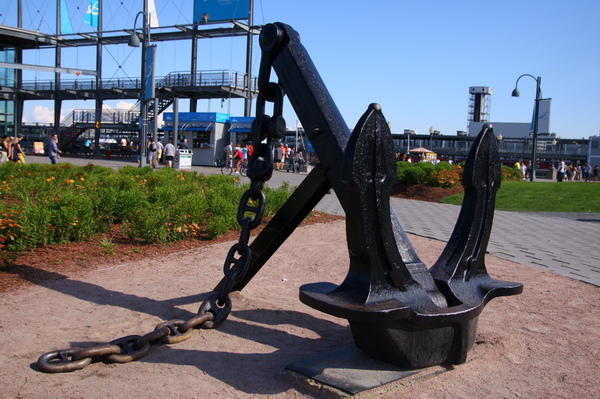
[加東] 2008.07.16 - 08.02 蒙特利爾 (Montréal)
- Mar 12 Thu 2009 21:50
-
[ubuntu] mplayer ogle libdvdcss2
http://ubuntuforums.org/showthread.php?t=9810
1. Do the Extra-Repository thing - (look at starter guide)
2. TYPE: sudo apt-get install ogle
3. TYPE: sudo apt-get install ogle-gui
4. Install libdvdcss2 - (look at starter guide)
- Mar 04 Wed 2009 20:21
-
[Ubuntu] The R Project for Statistical Computing
到 找出 Ubuntu 8.10 對應的版本(intrepid)後, 將
## The R Project for Statistical Computing
deb http://cran.csie.ntu.edu.tw/bin/linux/ubuntu intrepid/
加入 /etc/apt/sources.list
%apt-get update
- Feb 26 Thu 2009 11:43
-
[LaTeX] EndNote 2 BibTex
1. 安裝 EndNote X2 for Win
2. 由 JabRef 下載與安裝 JabRef-2.4.2-setup.exe (http://jabref.sourceforge.net/)
3. 開啟 EndNote 後,於左視窗 Online Search 下的 more... 選擇 PubMed(NLM) 後關閉。此時,PubMed(NLM) 會出現在 Online Search 下,即可於 PubMed 搜尋論文
4. 於 Edit/Output Styles/Open Style Manager... 下選擇 BibTeX Export 後關閉 Style Manager
(CHECKPOINT) 可再一次選擇 Edit/Output Styles/BibTeX Export,此時,右下視窗的 Preview 會出現相對應的 BibTeX 格式
- Dec 29 Mon 2008 17:04
-
[Ubuntu] 常用命令與技巧
Reference: http://www.busfly.cn/post/Ubuntu-cmd.html
Ubuntu常用命令與技巧
sudo apt-get install 軟件名 安裝軟件命令
sudo nautilus 打開文件(有root權限)
su root 切換到「root」
- Dec 29 Mon 2008 14:49
-
[SuSE] rpm
rpm -ivh RPMSOURE
e.g.,
# rpm -ivh http://download.opensuse.org/distribution/10.3/repo/src-oss/suse/src/gnuplot-4.2.0-71.src.rpm
- Dec 29 Mon 2008 14:41
-
[SuSE] 查看版本
#cat /etc/SuSE-release
- Dec 28 Sun 2008 15:25
-
[javascript] assign a variable with multi lines
http://www.codehouse.com/javascript/tips/string_multiline/
http://www.regular-expressions.info/reference.html
Use Notepad++ to replace "\r" to "\\n\\\r" of desired contents by "Extended" model in Find Replace dialog.
Eg.
Assign
- Dec 26 Fri 2008 00:12
-
[EMBOSS]
# cd EMBOSS-latest
# ./configure
# make check => Errors occur!
Ref:
http://emboss.open-bio.org/pipermail/emboss/2007-July/003055.html
- Dec 25 Thu 2008 10:43
-
[phpmyadmin] Cannot start session without errors, please check errors given in your PHP and/or webserver log file and configure your PHP installation properly.
http://www.bluelee.cn/blog/?p=87
1.將/etc/php5/apache2/php.ini中的session.auto_start的值改為1(啟動),默認是0(禁用)。
2.在/etc/php5/apache2/php.ini找到session.save_path 這一行,設成 session.save_path = /var/lib/php/session
3.#chown vuser:vgroup /var/lib/php/session 修改該目錄的所屬用戶和組,改為apache的啟動用戶和組即可,並要有寫入的權限。
3.1. mkdir /var/lib/php
- Dec 24 Wed 2008 12:13
-
[PHP] jpgraph
http://www.aditus.nu/jpgraph/
http://a-wei.net/archives/86
http://tech.ddvip.com/2008-10/122449461080346.html
[Mac]
# cd /usr/lib/php
